Welcome to the Sanka Purchase Order Management Guide!
In this guide, we’ll give you an overview of Sanka’s purchase order management system.
Purchase Order Management in Sanka simplifies and streamlines the process of ordering goods or services from suppliers.
This module enables businesses to manage supplier information, track purchase orders, generate bills, and update inventory in real time.
---
Understand basic flow of Purchase Orders Management
Learn default object of Purchase Orders Management
Next steps recommendation to start Purchase Orders Management
Overview of advanced features of Purchase Orders Management
Before getting started, familiarize yourself with objects, modules, and records in Sanka. Read the guide: Sanka Basics.
Then Learn how to set up and customize new modules in Sanka: How to Create New Modules.
---
Here’s the basic purchase order management flow in Sanka.
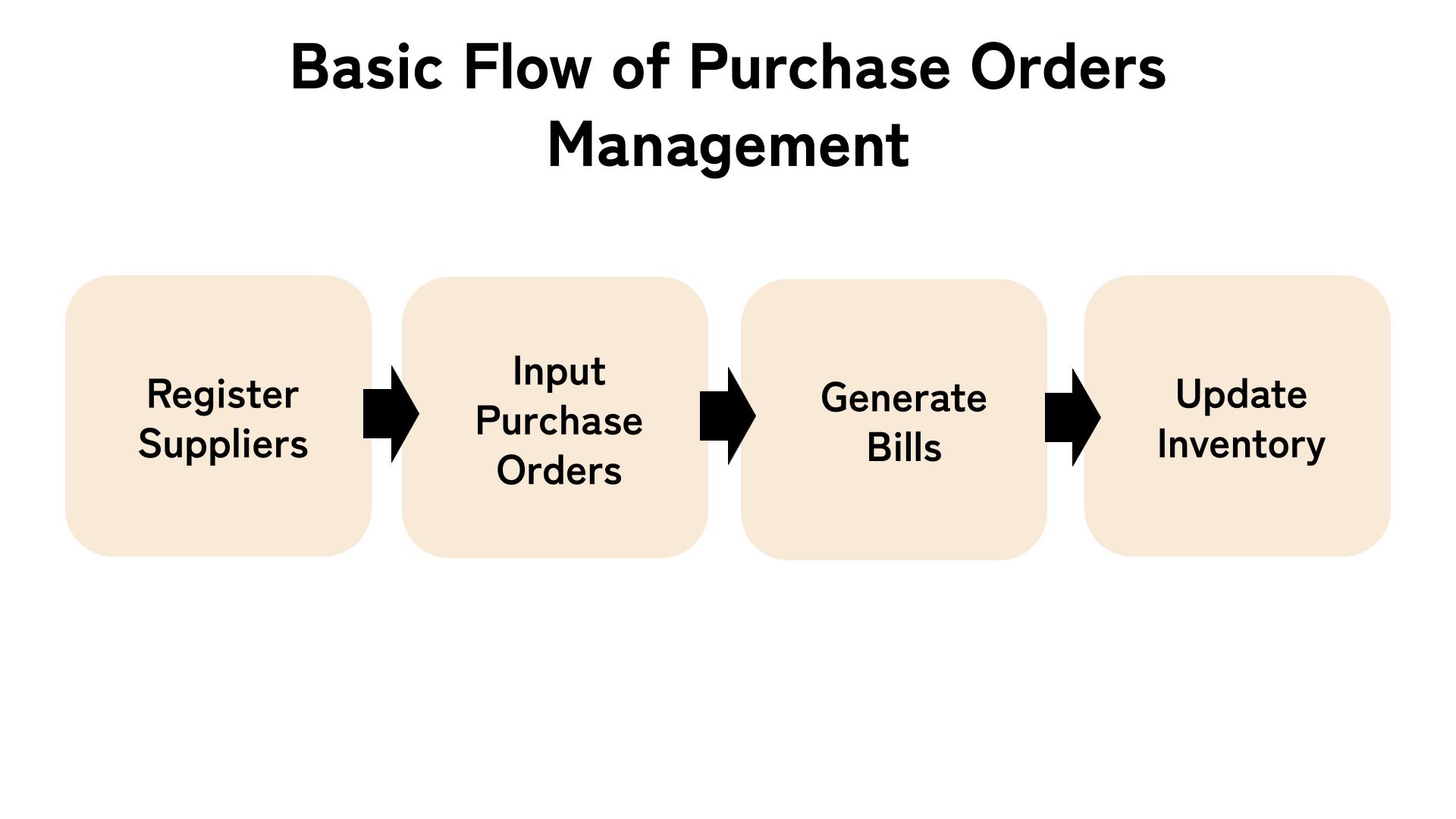
Navigate to the Companies object in the Purchase Order Management module. Then input the supplier information (company name, individual name, address, contact details, etc.) into Sanka.
You can input the data individually or upload it in bulk using a CSV file.
Create purchase orders of the items you plan to purchase in Sanka, including details such as description, quantity, and price to send to your supplier.
Additionally, Sanka lets you assign statuses for each purchase order, such as draft, sent, internally approved, and supplier approved.
This makes it easier to track progress and prevent confusion or delays in the ordering process.
Once a purchase order is confirmed, navigate to the Bills object. Create a new bill for the relevant purchase order with correct information.
Save the bill and update its status as payments are made.
Sanka’s purchase order and inventory management systems are integrated, so updating purchase item information will automatically update inventory counts.
This allows you to check inventory in real-time with accurate numbers at all times.
---
The Purchase Order Management module includes the following default objects:
This object is for managing suppliers or partners who provide goods and services.
This object records details about orders placed with suppliers.
This object is for generating and tracking the financial transactions associated with purchase orders.
This object contains of several action to automate related tasks of modules and object in Sanka.
---
Now that you understand the flow of purchasing and order management in Sanka, it’s time to start working.
We’ve created step-by-step help guides for each part of the process, so make sure to check them out:
---
Once you’ve mastered the basic methods, try using Sanka’s advanced features.
These features can help reduce the effort and time required for Purchase Order Management. Check out the following help guides for more details:
For further information or assistance, feel free to contact our support team!
